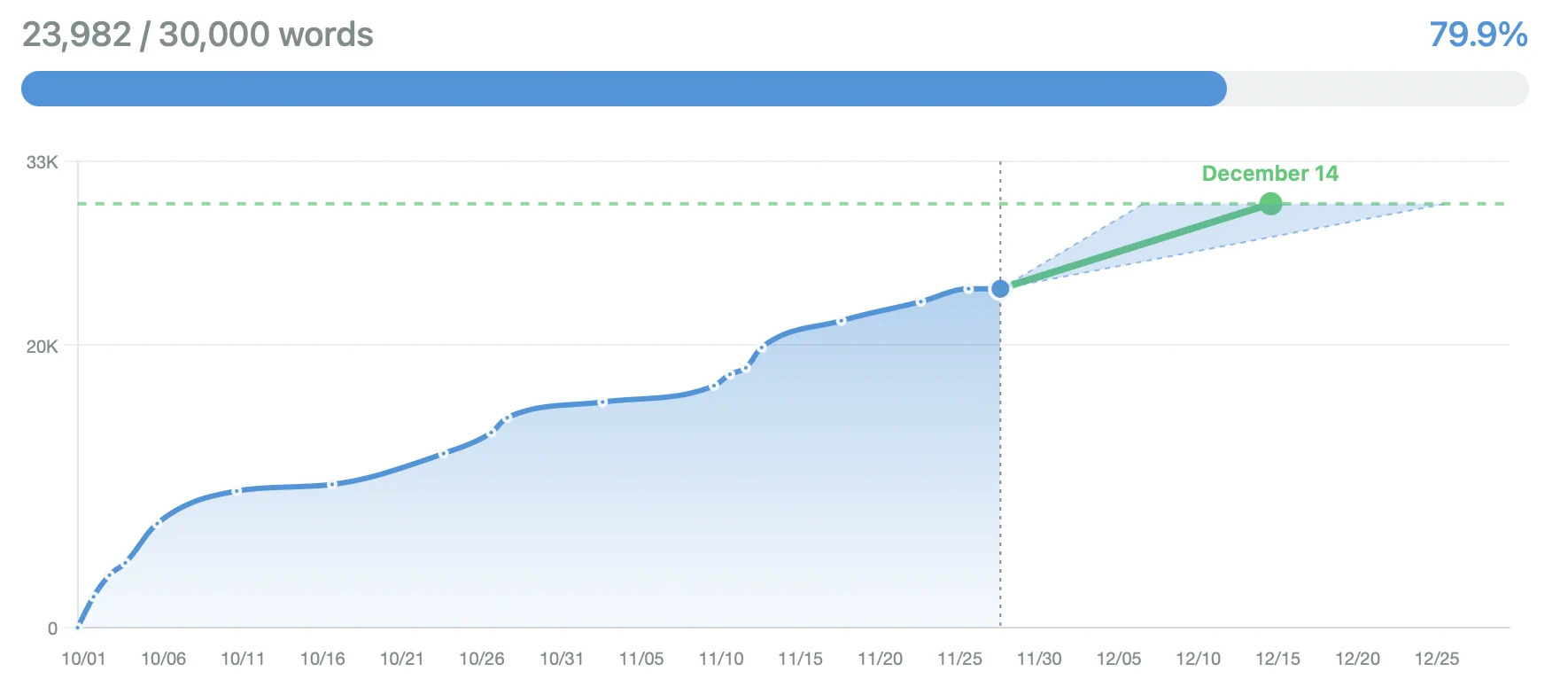
A practical writing tracker keeps sessions connected to a goal so every entry becomes a note on the same progress line. WritersAlley looks for that quiet continuity with a chart that shows you your writing progress in a glance.
Create your first writing project
Use the sidebar button to add a new project, give it a name that matches the story you are working on, and set the word target plus an optional deadline that fits your current rhythm. Once the project exists you can tap the style controls to pick a color and icon that keep the view familiar each time you return.
Keep every entry safe
To secure your projects and access them from any device you can register for free. Entries and metadata sync to the cloud so the dashboard updates on every browser you use.
Add words (Entries) to your project
The floating footer offers one number field and a date picker, so you can log a new session in a single glance. Type the word count, pick the day, and press the button. Once you save the entry the footer briefly celebrates so you know the session is recorded and the board refreshes itself.
You can backdate entries as needed: the date picker follows the same familiar format.
Read the chart and highlights
The main chart maps your total words against the goal so you can see whether the current pace needs a push or if you will meet the deadline. When you scroll past the chart the highlight cards surface extra cues, like quests or momentum hints, so you can decide where to focus next.
The chart stays honest
Every entry updates the chart, so if you need a quick check of your progress, total words or your estimated finsish date. You can trust the numbers even without hitting refresh.
Keep stats and projects curated
In the project view the totals, progress bar and stat cards summarize where you stand. Open the “Customize stats” modal to choose which cards stay visible, hide the ones you do not use, and order them so the dashboard reflects the metrics you care about every day.
Press to manage entries. Whenever you need to adjust an old log: dates, word counts and deletions stay in place until you explicitly save the updated list, so no change happens by accident.
Tailored stat board
Pick the metrics that feel useful and hide the rest. The app remembers the choice per project.
Calm entry editing
Edit dates or delete sessions without losing context. The Editor keeps the original entries until you save the changes.
Consistent appearance
The settings panel stores the colour scheme language and supporter status so every device opens with the same palette.
Consistency cues for the long game
Update the numbers regularly when you write to see how you are performing. If you need a reminder link this article to the guide on setting writing goals or to the piece on building streaks so the whole plan stays coherent.